Docker & Singularity
Nasir Mahmood Abbasi, PhD
Bioinformatics Educator
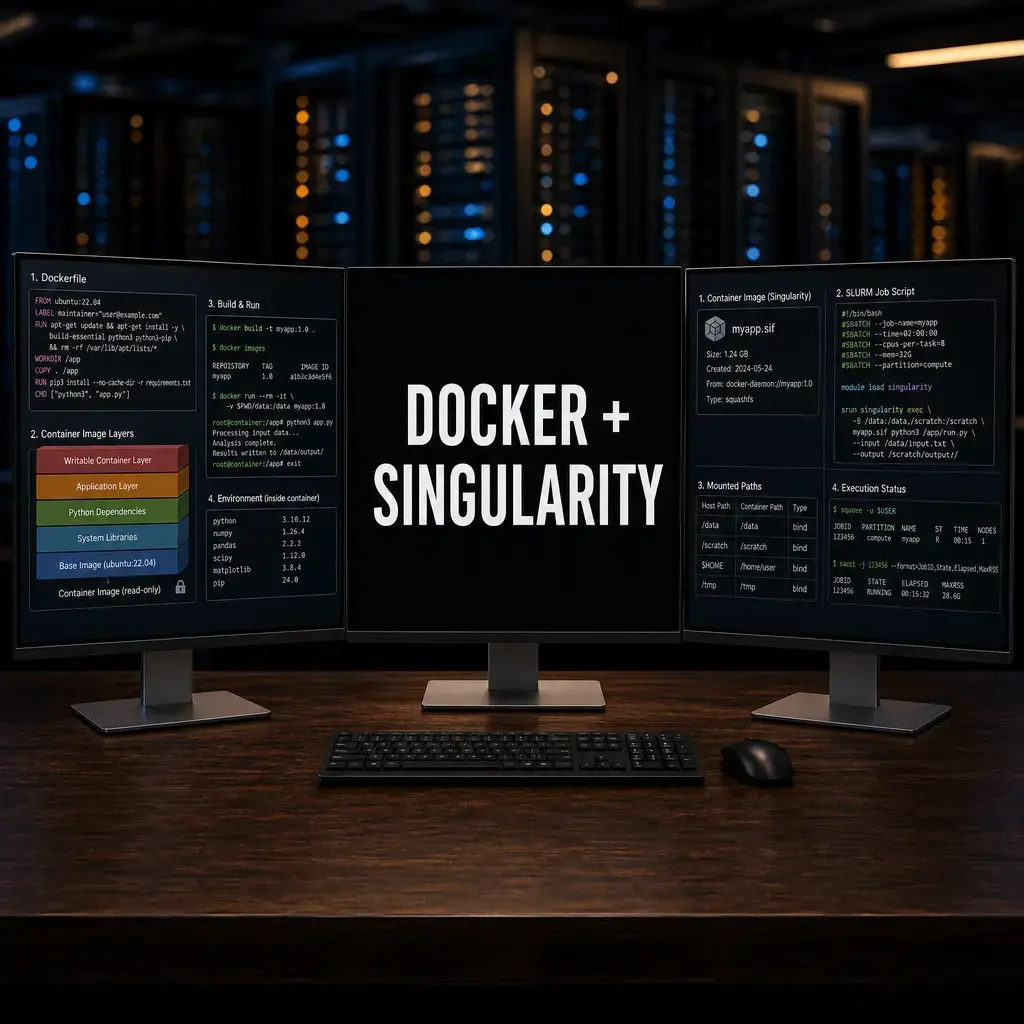
Learning Objectives & Prerequisites
- Prerequisites: Complete Conda/Mamba Environments and basic HPC concepts; use only containers authorized by your institution.
- Objective: Explain container images, bind mounts, reproducible tool execution, and the distinction between Docker and Singularity/Apptainer contexts.
- Expected Output: A documented container command that reads a test input through an explicit bind mount and writes a result to a project directory.
Suggested route: use the Bioinformatics Learning Path to review any prerequisite stage before continuing.
Containerization in Bioinformatics
The Dependency Hell
In bioinformatics, "Dependency Hell" is the situation where Software A requires Python 3.8 and package X version 1.2, but Software B requires Python 3.10 and package X version 2.0. Even with Conda, complex environments can break over time.
Worse, if you publish a paper today, a researcher trying to run your script in 5 years might find that the underlying packages are no longer available.
The ultimate solution is Containerization.
1. What is a Container?
A container is a standalone, executable package of software that includes everything needed to run an application: the code, runtime, system tools, system libraries, and settings.
When you run a bioinformatics pipeline inside a container, you are guaranteed that it will execute identically on your laptop, on an HPC cluster, or in the cloud.
2. Docker: The Industry Standard
Docker is the most famous container platform. It requires root (administrator) privileges to run, making it ideal for your local laptop or cloud instances (AWS/GCP).
Finding Containers
You rarely need to build your own containers from scratch. The Biocontainers project automatically builds Docker images for almost every bioinformatics tool in existence.
Running a Docker Container
Instead of installing bwa locally, you can pull the official Biocontainer for it:
# Pull the container image
docker pull quay.io/biocontainers/bwa:0.7.17--hed695b0_7

# Run BWA completely isolated from your host system
docker run -v /my/local/data:/data quay.io/biocontainers/bwa:0.7.17--hed695b0_7 bwa mem /data/ref.fa /data/reads.fq
Note: The -v flag mounts your local data folder into the container so the software can see your files.
3. Singularity (Apptainer): The HPC Solution
The Problem with Docker on HPC: Docker requires root access. System administrators of High-Performance Computing (HPC) clusters will never give users root access, as it is a massive security risk.
The Solution: Singularity (now rebranded as Apptainer) was built specifically for scientific computing. It allows you to run containers securely without root privileges.
Converting Docker to Singularity
The beauty of Singularity is that it can seamlessly convert and run Docker images!
# Pull a Docker image and convert it into a Singularity Image Format (.sif) file
apptainer pull bwa_container.sif docker://quay.io/biocontainers/bwa:0.7.17--hed695b0_7
Running Singularity on Slurm
Singularity works perfectly alongside HPC schedulers like Slurm.
#!/bin/bash
#SBATCH --job-name=bwa_map
#SBATCH --cpus-per-task=8
#SBATCH --mem=16G

# Execute the containerized software
apptainer exec bwa_container.sif bwa mem -t 8 reference.fa reads.fq > output.sam
Summary
If you combine Nextflow (to handle the logic) with Singularity (to handle the software environments), you achieve the holy grail of modern computational biology: 100% reproducible, instantly scalable research.
Why Containers Solve a Real Problem in Bioinformatics
Computational biology has a reproducibility problem that predates the current conversation about AI and large language models. A pipeline that worked on one machine in 2020 often fails to produce identical results on a different machine in 2026, even when the code is unchanged. The cause is almost always the software environment: a different version of STAR, a different Bioconductor release, or a different system library that a Python package links against.
Containers address this by packaging the entire runtime environment, including the operating system layer, system libraries, and all software dependencies, into a single portable image. When you run a container, you run the exact same environment regardless of whether the host machine is running Ubuntu 20.04, CentOS 7, or macOS Sonoma. This is the difference between sharing a Conda environment file (which specifies what to install but depends on what the package repository looks like at install time) and sharing a container image (which contains the already-installed software).
Docker vs Singularity: Why HPC Clusters Reject Docker
Docker requires a daemon process that runs as root. On a shared HPC cluster, this is a security violation: a user who can run Docker commands can trivially mount host directories as root, escape the container, and access other users' files or the cluster file system. For this reason, virtually all academic HPC clusters prohibit Docker entirely.
Singularity, developed specifically for HPC, solves this by using a different container format with no persistent daemon. Singularity containers run as the user who launches them, not as root, and they respect the file permission system of the host. Importantly, Singularity can pull and convert Docker images directly from Docker Hub or any container registry, which means you can build your pipeline image using Docker locally or in a CI system, push it to a registry, and then pull and run it on an HPC cluster using Singularity without any changes to the image itself.
Building Bioinformatics Containers That Will Last
The most common mistake when writing a Dockerfile for a bioinformatics pipeline is using apt-get install or conda install without pinning specific versions. A Dockerfile that says conda install -c bioconda star will install whatever version of STAR was most recent when the image was built. Rebuild the image six months later and you may get a different version with different default parameters. Always specify exact version numbers for every tool in your Dockerfile.
A second consideration is image size. A naive Bioconductor installation can easily exceed 10 gigabytes. This makes images slow to pull and expensive to store. Use multi-stage builds to separate the build environment from the runtime environment, and consider Alpine-based base images for tools that do not require a full Ubuntu installation. For R-heavy pipelines, the rocker family of images provides well-maintained, versioned R environments as a starting point.
Integrating Containers with Workflow Managers
Containers reach their full potential when combined with a workflow manager like Nextflow or Snakemake. Both support per-rule or per-process container directives, which means each step of your pipeline can use a different container image. A STAR alignment step uses a container with STAR and samtools. A DESeq2 step uses a container with R and Bioconductor. If a tool requires an incompatible Python version from another tool in your pipeline, there is no conflict because each tool runs in its own isolated environment.
Nextflow's -with-singularity and -with-docker flags make this switching seamless: run with Docker locally for development, then run the identical pipeline on HPC with Singularity by changing one flag. No modifications to the pipeline logic are needed. This is the closest practical approximation to a truly portable, reproducible bioinformatics workflow.
Container Best Practices Summary
- Pin every tool version in your Dockerfile using exact version numbers.
- Push images to a versioned registry tag, never just latest.
- Use Singularity on HPC clusters; build with Docker locally.
- Store your Dockerfile in the same repository as your pipeline code.
- Test that the container produces expected outputs on a reference dataset before deploying to production.
Knowledge Check & Assessment
1. Concept Verification
Why do containers improve reproducibility without eliminating the need to record image versions, inputs, and parameters?
2. Practical Execution
Run an approved containerized command on a small test input and record the image reference, bind mount, command, and output path. Pass Criteria: Record the command or analysis choice, keep the output, and explain why it answers the stated task.
3. Troubleshooting
If files are invisible inside a container, how will you inspect bind mounts, working directory, permissions, and image entrypoint behavior?
Reviewed: June 2026
All commands and outputs were verified with the software versions listed in this tutorial. If you encounter reproducibility issues, please report them through the Contact page.
Author: Nasir Mahmood Abbasi, PhD · Category: Workflow Management and Containerization