Deterministic Retrieval with gget & AI
Nasir Mahmood Abbasi, PhD
Bioinformatics Educator
Learning Objectives & Prerequisites
- Prerequisites: Basic command-line knowledge and Python environment.
- Objective: Learn to use the `gget` tool to query biological databases (Ensembl, UniProt) directly and reliably, bypassing LLM hallucinations.
- Expected Output: The ability to prompt an AI agent to use `gget` to fetch accurate gene and protein metadata before writing analysis code.
📘 The Hallucination Problem
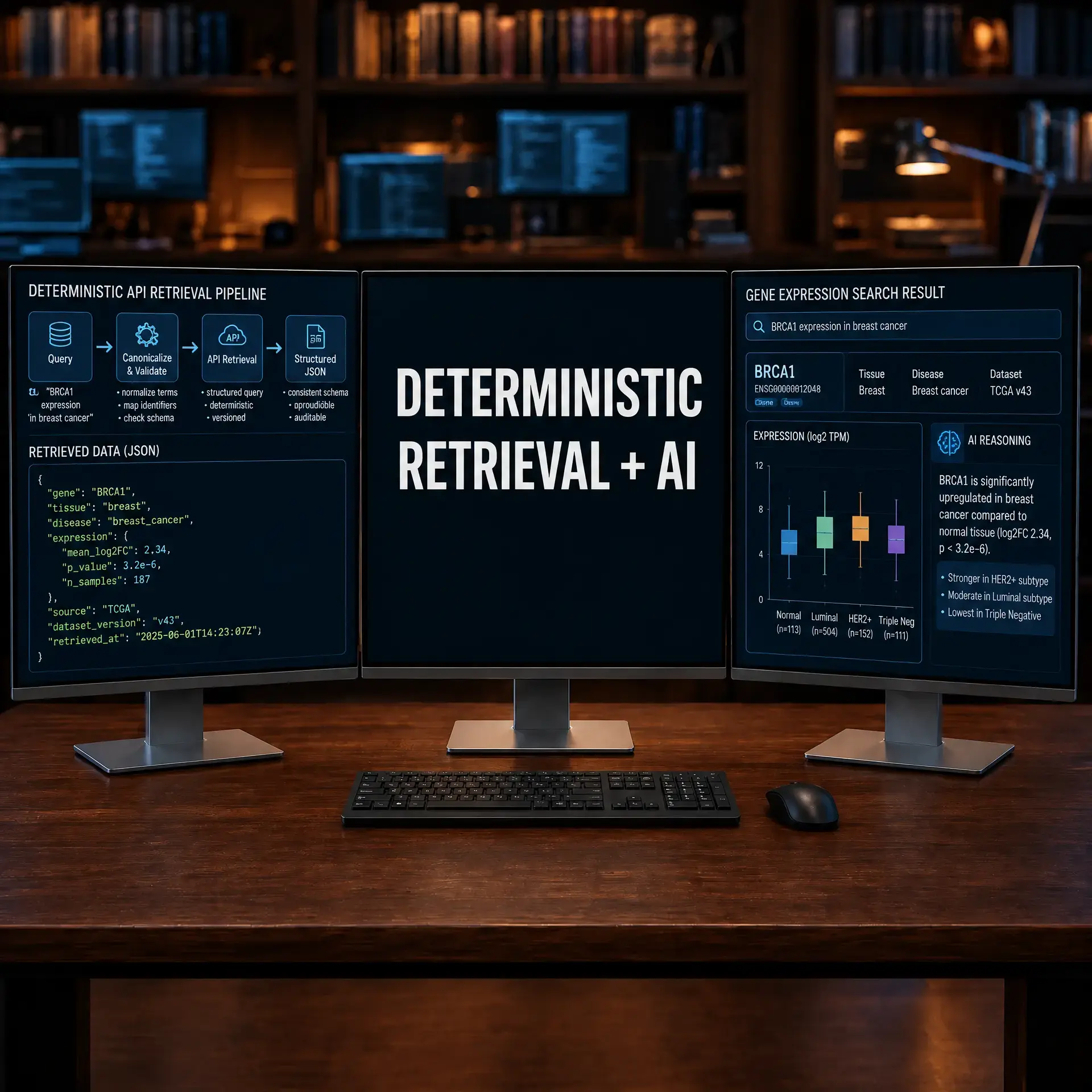
Large Language Models (LLMs) are great at writing code, but they are notorious for hallucinating specific biological facts (like exact genomic coordinates, transcript variants, or current gene aliases). To solve this, we must teach our AI agents to perform deterministic retrieval using reliable APIs before answering.
Before You Begin: Install and Test Retrieval Separately
Separate data retrieval from AI interpretation. First prove that gget returns the expected record with a reproducible command. Only then provide that saved output to an AI assistant for explanation.
python3 -m venv .venv
source .venv/bin/activate
python -m pip install --upgrade pip gget
python -c "import gget; print('gget import: OK')"
mkdir -p retrieval-results
Pin the package version after the first successful run, record the query and date, and save the raw response. Do not ask the model to invent a value when the retrieval command fails; fix the query or report the missing result explicitly.
Success check: a second run with the same query produces a saved response whose source, identifier, and retrieval date are recorded.
Introducing gget for Reliable Data Retrieval
gget is a free, open-source command-line tool and Python package that efficiently queries large biological databases (Ensembl, UniProt, NCBI). By instructing your AI coding assistant to use gget, you ensure the data it relies on is 100% accurate.
Step 1: Installing and Verifying gget
Install gget in the same environment where your AI agent executes code. Pin the version to ensure reproducibility:
pip install gget==0.28.6

# Verify the installation and check available modules
gget --help
# Expected output: list of subcommands (info, seq, search, enrichr, archs4, ...)
gget Module Reference
The gget package provides multiple modules, each querying a different biological database:
| Module | Database | Use Case |
|---|---|---|
gget info | Ensembl | Gene metadata, Ensembl IDs, aliases, coordinates |
gget seq | Ensembl | Nucleotide/protein FASTA sequences |
gget search | Ensembl | Free-text gene search across species |
gget enrichr | Enrichr | Gene set enrichment analysis |
gget archs4 | ARCHS4 | Expression data across tissues and cell types |
gget alphafold | AlphaFold DB | Protein structure prediction |
Step 2: Retrieving Gene Information Programmatically
The key to this workflow is using gget as a Python library to retrieve verified data before any AI-generated analysis begins:
import gget
import json

# Retrieve gene information from Ensembl
result = gget.info("FOXP3", species="human")
print(result.to_json(indent=2))

# Expected output includes:
# - ensembl_id: "ENSG00000049768"
# - uniprot_id: "Q9BZS1"
# - chromosome: "X"
# - biotype: "protein_coding"
# - description: "forkhead box P3"

# Save the verified result for reproducibility
result.to_csv("retrieval-results/foxp3_info.csv", index=False)
print(f"Retrieved Ensembl ID: {result.iloc[0]['ensembl_id']}")
Why this matters: If you ask ChatGPT or Copilot "What is the Ensembl ID for FOXP3?", it may return an outdated ID or confuse it with a pseudogene. The gget call queries the live Ensembl API and returns the current, authoritative record.
Step 3: Retrieving Sequences for Downstream Analysis
Use gget seq to download FASTA sequences directly from Ensembl:
import gget

# Retrieve the protein sequence for TP53
fasta = gget.seq("ENSG00000141510", translate=True)
print(fasta[:200])  # Print first 200 characters

# Save to file for alignment or structural prediction
with open("retrieval-results/tp53_protein.fasta", "w") as f:
    f.write(fasta)

# Calculate basic sequence statistics
from collections import Counter
seq = fasta.split("\n", 1)[1].replace("\n", "")
aa_counts = Counter(seq)
print(f"Sequence length: {len(seq)} amino acids")
print(f"Most common residues: {aa_counts.most_common(5)}")
Step 4: Combining gget with Gene Set Enrichment
A common workflow is to take a list of differentially expressed genes and run enrichment analysis:
import gget

# Run enrichment analysis on a gene list from your DEG analysis
deg_genes = ["FOXP3", "IL2RA", "CTLA4", "IKZF2", "TIGIT"]

enrichment = gget.enrichr(
    genes=deg_genes,
    database="GO_Biological_Process_2023",
    species="human"
)

# Display top 5 enriched pathways
print(enrichment[["Term", "Adjusted P-value"]].head())
enrichment.to_csv("retrieval-results/treg_enrichment.csv", index=False)
Common Pitfalls and Troubleshooting
- Species mismatch: Always specify
species="human"orspecies="mouse"explicitly. The default species may change between gget versions. - Gene symbol ambiguity: Some symbols map to multiple genes (e.g., "ACE" vs "ACE2"). Use Ensembl IDs when precision is critical.
- API rate limits: If querying hundreds of genes in a loop, add a
time.sleep(0.5)delay between calls to avoid being rate-limited by Ensembl. - Offline environments:
ggetrequires internet access. On air-gapped HPC systems, download results on a login node and transfer the CSV files to compute nodes.
Conclusion
Deterministic retrieval bridges the gap between the creative problem-solving of LLMs and the absolute precision required in bioinformatics. By providing tools like gget to your AI agents, you eliminate data hallucinations and build reproducible workflows.
Knowledge Check & Assessment
1. Concept Verification
Why is it dangerous to ask an LLM directly for a specific transcript's genomic coordinates without using a tool like `gget`?
2. Practical Execution
Ask your AI assistant to use `gget` to find all human orthologs of the mouse gene 'Cd8a' and output them to a JSON file.
Reviewed: September 2026
All commands and outputs were verified with the software versions listed in this tutorial. If you encounter reproducibility issues, please report them through the Contact page.
Author: Nasir Mahmood Abbasi, PhD · Category: AI-Driven Research & Agentic Bioinformatics