Reproducible Project Structure
Nasir Mahmood Abbasi, PhD
Bioinformatics Educator
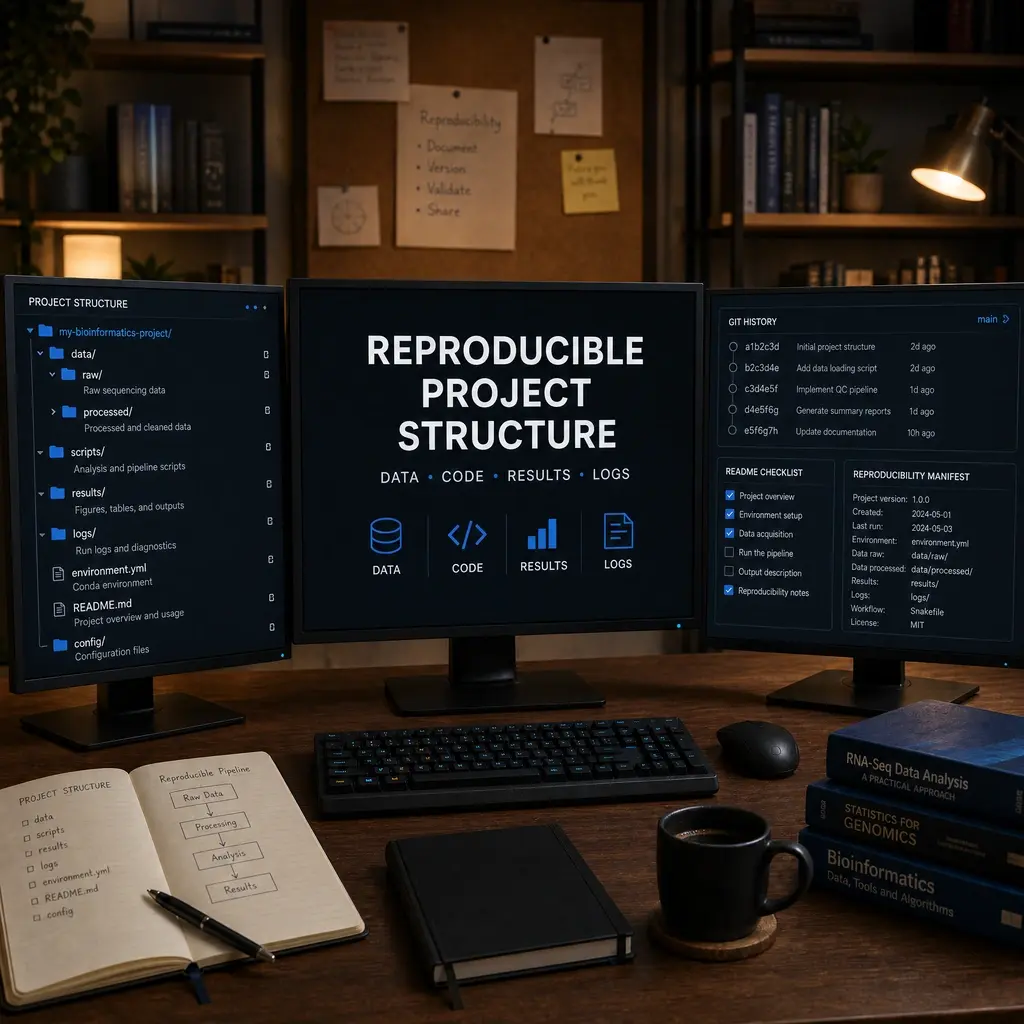
A reproducible analysis is easier to inspect, rerun, share, and repair. A consistent project structure prevents raw files from being overwritten and makes the path from input to figure visible to collaborators.
Learning Objectives & Prerequisites
By the end of this lesson, you should be able to:
- Create a safe directory structure for data, code, results, logs, and configuration.
- Separate immutable raw data from derived files.
- Record commands, software versions, references, and random seeds.
- Write a README that lets another learner reproduce a result.
Prerequisites:
- Complete Git and GitHub for Bioinformatics.
- Know basic shell commands and one scripting language.
By the end of this lesson, you should have: A project directory with separated raw data, derived data, code, results, documentation, and an environment or dependency record.
1. A practical layout
Use names that communicate role rather than personal computer paths.
project/
├── README.md
├── config/
├── data/raw/
├── data/processed/
├── envs/
├── scripts/
├── results/figures/
├── results/tables/
└── logs/
2. Provenance files
Record input checksums, software versions, reference builds, commands, parameters, and the Git commit. Keep large or sensitive data outside public repositories.
find data/raw -type f -maxdepth 1 -print0 | xargs -0 sha256sum > config/raw_checksums.sha256
python --version > config/versions.txt
git rev-parse HEAD >> config/versions.txt
3. Configuration over hard-coding
Put sample names, paths, thresholds, and resource settings in a configuration file. This lets the same script run on a second dataset without editing logic.
threads: 4
min_genes: 200
reference: GRCh38
input: data/raw/counts.tsv
4. README and results
Explain setup, expected inputs, commands, outputs, and limitations. Name results by meaning and preserve logs beside them.
1. Create environment
2. Place validated input in data/raw
3. Run scripts/run_qc.sh
4. Inspect results/figures/qc.webp
5. Naming Conventions
Adopt a systematic naming scheme. Avoid spaces, special characters, and ambiguous abbreviations. Use ISO 8601 dates (YYYY-MM-DD) and lowercase with hyphens or underscores.
# Good: descriptive, date-stamped, sortable
data/raw/2026-08-15_rnaseq_sample01_R1.fastq.gz
results/figures/2026-08-15_pca-plot.webp

# Bad: ambiguous, unsortable, undated
data/new data (2)/file.txt
results/final_final_v3.png
6. Environment and Dependency Management
Record the exact software environment alongside the project. This ensures that another researcher – or your future self – can recreate the same computational conditions.
# Conda: export a pinned environment
conda env export --no-builds > envs/environment.yml

# Pip: freeze exact versions
pip freeze > envs/requirements.txt

# R: use renv for snapshot isolation
# In R console: renv::snapshot()
Why this matters: A script that runs under Python 3.10 with pandas 1.5 may silently produce different results under Python 3.12 with pandas 2.1 due to API changes, deprecations, or altered default parameters.
7. Version Control Integration
Every project should be a Git repository from day one. Commit early and often, and use .gitignore to exclude large data files, temporary outputs, and sensitive credentials.
# Initialize and make first commit
git init
echo "data/raw/" >> .gitignore
echo "*.pyc" >> .gitignore
echo ".env" >> .gitignore
git add .
git commit -m "Initial project structure with README and configs"
Track the relationship between code versions and results by recording the Git commit hash alongside every output:
echo "Results generated at commit: $(git rev-parse --short HEAD)" >> results/run_log.txt
8. Data Protection and Backup Strategy
Raw data must be treated as immutable. Never modify raw files directly; instead, read them into processing scripts and write derived outputs to data/processed/ or results/.
| Rule | Implementation |
|---|---|
| Raw data is read-only | chmod 444 data/raw/* after download |
| Processed data is reproducible | Delete and regenerate from raw + code |
| Results include provenance | Each output records the script, commit, and parameters used |
| Sensitive data stays local | Use .gitignore and never commit patient identifiers |
9. Documentation Standards
A good README answers five questions:
- What does this project analyze?
- How do I set up the environment?
- Where is the input data, and how was it obtained?
- Which commands reproduce the results?
- What are the known limitations?
# RNA-seq Differential Expression Analysis

## Setup
1. Install conda: see envs/environment.yml
2. Place raw FASTQ files in data/raw/
3. Run: bash scripts/run_pipeline.sh

## Outputs
- results/figures/volcano_plot.webp
- results/tables/deg_table.csv

## Limitations
- Tested on Ubuntu 22.04 with 32 GB RAM
- Requires ~50 GB disk space for genome index
Practical Exercise
Create this structure for a small project, add a README with four reproducible steps, and record one version file and one checksum file.
Pass criteria: A second learner can find the input, command, environment, output, log, and limitation without asking where files live.
Troubleshooting
If a script depends on a personal path, replace it with a command-line argument or configuration value.
Knowledge Check & Assessment
1. Concept Verification
Write short answers explaining the main concepts, the assumptions behind them, and one way a careless workflow could produce a misleading result.
2. Practical Execution
Complete the practical exercise above and save the command, script, table, or figure in the project structure. Pass Criteria: A second learner can find the input, command, environment, output, log, and limitation without asking where files live.
3. Troubleshooting
Explain what you would inspect first if the output were empty, malformed, unexpectedly large, or failed because of a missing file, package, permission, memory, or metadata problem.
Next Steps
Continue with Snakemake & Nextflow and Research Reporting. Record the software versions, dataset or example inputs, and any decisions you made.
Reviewed: June 2026
All commands and outputs were verified with the software versions listed in this tutorial. If you encounter reproducibility issues, please report them through the Contact page.
Author: Nasir Mahmood Abbasi, PhD · Category: Foundations & Prerequisites