Reference Genomes and Annotation Databases
Nasir Mahmood Abbasi, PhD
Bioinformatics Educator
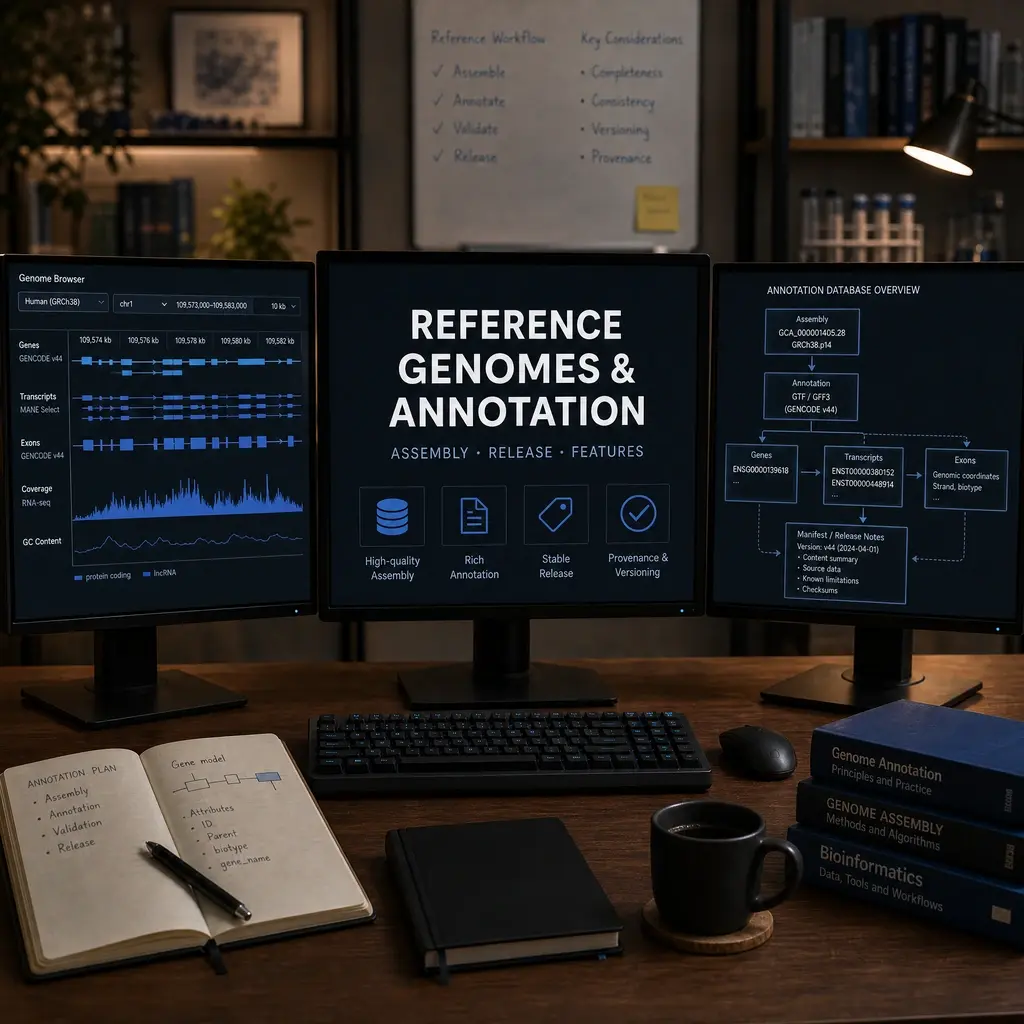
A reference genome is not a neutral backdrop: its build, annotation release, transcript model, and identifiers directly affect alignment, quantification, variant calls, and biological interpretation. Record the exact references used.
Learning Objectives & Prerequisites
By the end of this lesson, you should be able to:
- Distinguish genome assemblies, annotation releases, transcript versions, and gene identifiers.
- Download reference files from stable authoritative sources.
- Verify checksums and record versions.
- Explain why mixing builds or annotations can invalidate results.
Prerequisites:
- Understand FASTA and GTF/GFF from Biological Data Formats.
- Have
curl,wget, andsha256sumavailable.
By the end of this lesson, you should have: A reference manifest containing the provider, accession or release, direct URL, checksum result, genome build, annotation version, and contig naming convention.
1. Build and annotation are different
GRCh38 is an assembly; a GENCODE release is an annotation set for that assembly. A transcript identifier may change between releases. Keep the FASTA and GTF compatible.
assembly: GRCh38
annotation: GENCODE v46
source: https://www.gencodegenes.org/human/
downloaded: 2026-08-15
2. Download reproducibly
Prefer NCBI, Ensembl, GENCODE, or UCSC pages that document release versions. Save URLs, checksums, and commands in the project.
# Example direct file: record the assembly accession and release in your manifest.
curl -L -o GRCh38.p14.fa.gz \
  "https://ftp.ncbi.nlm.nih.gov/genomes/all/GCF/000/001/405/GCF_000001405.40_GRCh38.p14/GCF_000001405.40_GRCh38.p14_genomic.fna.gz"

# Download the provider checksum when available, then verify before analysis.
curl -L -o md5checksums.txt \
  "https://ftp.ncbi.nlm.nih.gov/genomes/all/GCF/000/001/405/GCF_000001405.40_GRCh38.p14/md5checksums.txt"
grep "GCF_000001405.40_GRCh38.p14_genomic.fna.gz" md5checksums.txt | md5sum -c -
3. Validate compatibility
Check chromosome names, feature IDs, coordinate conventions, and whether the annotation includes the feature type your tool expects. Do not mix chr1 with 1 without a documented conversion.
cut -f1 reference.fa.fai | head
awk "$3=="gene" {print \$1}" annotation.gtf | sort -u | head
4. Identifier mapping
Gene symbols are human-friendly but unstable. Use stable Ensembl or NCBI identifiers in computational tables and retain the mapping table used to label figures.
keep: stable_id, versioned_id, symbol, source_release
5. Common Reference Sources
Different communities maintain different reference resources. Choosing the correct source depends on your organism, analysis type, and downstream tools.
| Source | Organism Focus | Best For | URL |
|---|---|---|---|
| GENCODE | Human, Mouse | RNA-seq, gene-level analysis | gencodegenes.org |
| Ensembl | Multi-species | Comparative genomics, variant annotation | ensembl.org |
| NCBI RefSeq | Multi-species | Clinical genomics, standardized gene models | ncbi.nlm.nih.gov |
| UCSC Genome Browser | Multi-species | Visualization, track hubs | genome.ucsc.edu |
| Phytozome | Plants | Plant genomics | phytozome-next.jgi.doe.gov |
6. Chromosome Naming Conflicts
One of the most common silent errors in bioinformatics is a chromosome naming mismatch between your reference genome and annotation file. Different sources use different conventions:
# UCSC style          # Ensembl/NCBI style
chr1                  1
chrM                  MT
chrX                  X
Detection: Compare the first column of the FASTA index (.fai) with the first column of the GTF/GFF:
# Extract chromosome names from FASTA index
cut -f1 genome.fa.fai | sort > chrom_fasta.txt

# Extract chromosome names from GTF
awk '$3=="gene" {print $1}' annotation.gtf | sort -u > chrom_gtf.txt

# Compare – any differences indicate a naming mismatch
diff chrom_fasta.txt chrom_gtf.txt
Resolution: Use a mapping file or sed to convert between conventions. Never manually edit a reference FASTA – always script the conversion and document it.
7. Annotation File Formats Explained
| Format | Extension | Key Features |
|---|---|---|
| GTF | .gtf |
Tab-separated, 9 columns, gene/transcript/exon hierarchy |
| GFF3 | .gff3 |
Hierarchical parent-child relationships, more flexible than GTF |
| BED | .bed |
Simple coordinate format, 0-based start positions |
Critical difference: GTF uses 1-based, fully closed coordinates (start=1, end=100 means positions 1 through 100). BED uses 0-based, half-open coordinates (start=0, end=100 means positions 1 through 100). Mixing these silently shifts all your coordinates by one base.
8. Version Pinning and Reproducibility
Always record the exact version of your reference files. A GENCODE release number alone is not sufficient – record the full download URL, file checksum, and download date.
# Create a reproducible reference manifest
cat > config/reference_manifest.yml << 'EOF'
reference:
  assembly: GRCh38.p14
  annotation: GENCODE v46
  fasta_url: "https://ftp.ebi.ac.uk/pub/databases/gencode/Gencode_human/release_46/GRCh38.p14.genome.fa.gz"
  gtf_url: "https://ftp.ebi.ac.uk/pub/databases/gencode/Gencode_human/release_46/gencode.v46.annotation.gtf.gz"
  download_date: "2026-08-15"
  fasta_md5: "abc123def456..."
  gtf_md5: "789ghi012jkl..."
  chromosome_naming: "chr-prefixed"
EOF
9. When to Update References
Updating your reference genome mid-project can invalidate all previous results. Follow these guidelines:
- Start of project: Choose the latest stable release and lock it.
- During analysis: Never change references unless you discover a critical error.
- Between projects: Evaluate whether a newer release fixes known issues relevant to your analysis.
- Publication: Report the exact assembly, annotation release, and download source in your Methods section.
Practical Exercise
Write a reference manifest listing assembly, annotation release, URLs, download date, checksum path, chromosome naming convention, and identifier type.
Pass criteria: A second learner could identify and re-download the exact compatible references from the manifest.
Troubleshooting
If a tool reports missing contigs or features, compare assembly names, chromosome prefixes, and annotation release before editing files.
Knowledge Check & Assessment
1. Concept Verification
Write short answers explaining the main concepts, the assumptions behind them, and one way a careless workflow could produce a misleading result.
2. Practical Execution
Complete the practical exercise above and save the command, script, table, or figure in the project structure. Pass Criteria: A second learner could identify and re-download the exact compatible references from the manifest.
3. Troubleshooting
Explain what you would inspect first if the output were empty, malformed, unexpectedly large, or failed because of a missing file, package, permission, memory, or metadata problem.
Next Steps
Continue with Data Visualization Fundamentals and Whole Exome Sequencing. Record the software versions, dataset or example inputs, and any decisions you made.
Reviewed: December 2025
All commands and outputs were verified with the software versions listed in this tutorial. If you encounter reproducibility issues, please report them through the Contact page.
Author: Nasir Mahmood Abbasi, PhD · Category: Foundations & Prerequisites